Reduce your output size
Sometimes, it's useful to be able to restrict the amount of output results generated by Antares. This is the goal of the Thematic trimming.
Tip
Use these features to reduce your memory footprint as studies can get quite heavy! This will also result in a decrease of the simulation time.
Geographic trimming
In the Configuration > General tab, select Custom for the Georgraphic trimming.
Warning
This section is under construction.
Thematic trimming
To modify your selection of outputs, go to the Configuration > General tab and then select Custom in the Thematic trimming dropdown menu. Click on Settings to open the following pop-up.
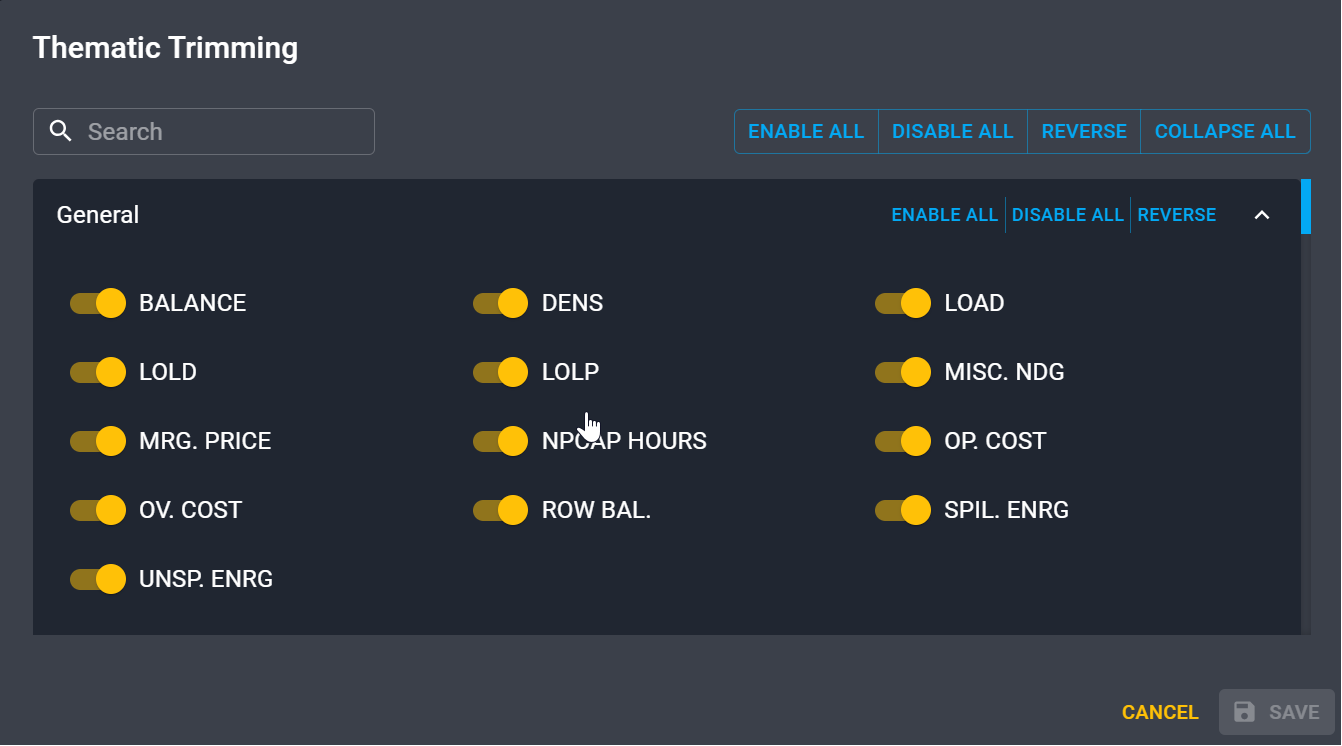
There you can enable or disable the different results that you want or don't want.
Note
By default, all the possible results are generated by Antares.
Output print status
Synthesis outputs
You can select the time step for which you would like your outputs to be printed It corresponds to the synthesis outputs corresponding to the mc-all which gives results for conbination of all simulated Monte-Carlo years.
- Hourly
- Daily
- Weekly
- Monthly
- Annual
It will reduce the number of files generated and hence the memory used.
Output year by year
For each simulated year, you can select the time steps you want to generate. This corresponds to the mc-ind folder of outputs which is gives results for each individual Monte-Carlo scenario.
- Hourly
- Daily
- Weekly
- Monthly
- Annual
It will reduce the number of files generated and hence the memory used.