Create a personal token
To have access to the Antares Web API when using the base or performance version, notably with Antares Craft, you will have to create your personal token inside the app. It is essentially a unique string that give you remote access to the API.
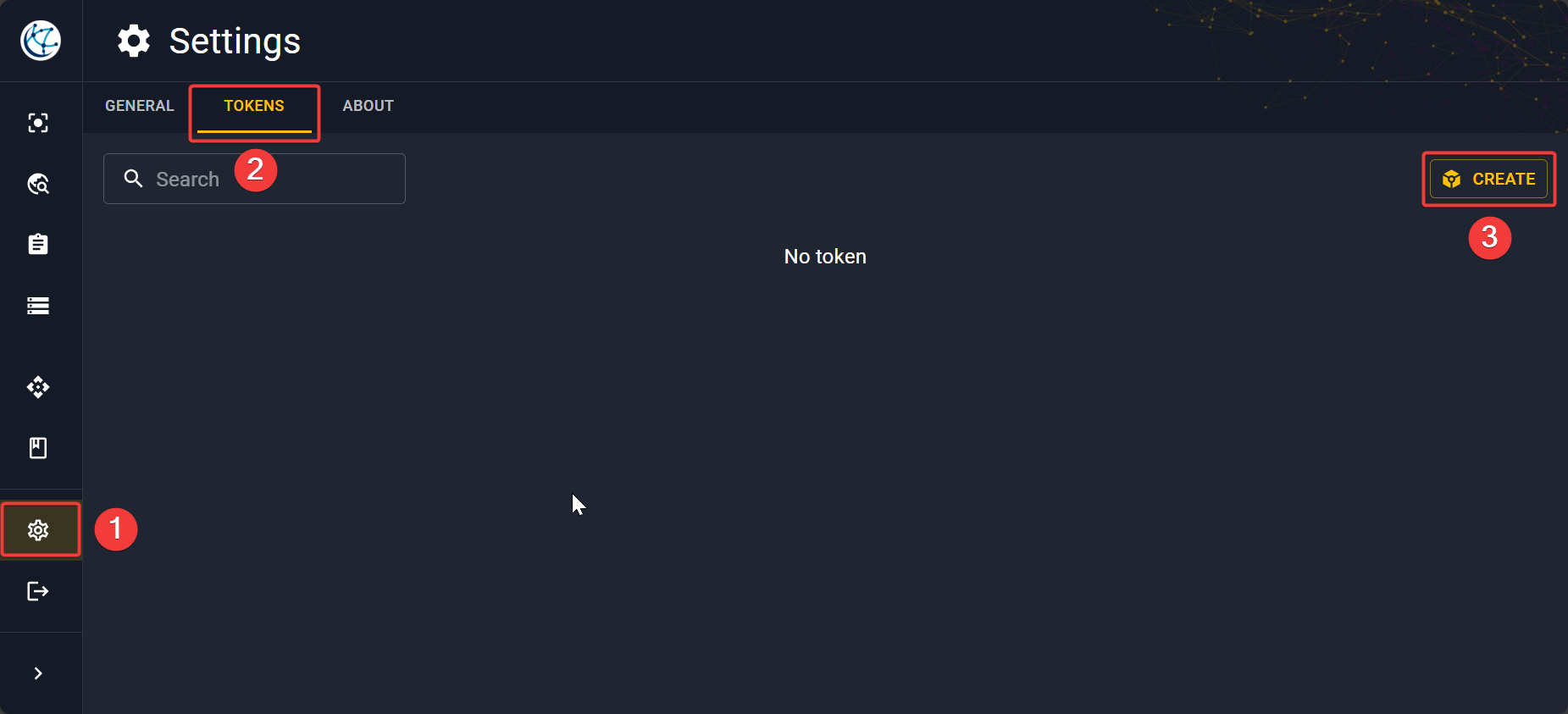
Go to Settings in the sidebar and click on the Tokens tab. Then click on Create.
This will open a pop-up. Give a name to your token and then make sure to copy and save your token in a safe place before closing the window.
Warning
If you lose the string once the token is created, you can't get back the string associated. However, you can delete the old token and create a new one.